
How Mobile Apps Are Making Everyday Tasks Easier
Smartphones have changed from simple communication devices into tools that people use throughout almost every part of their day.
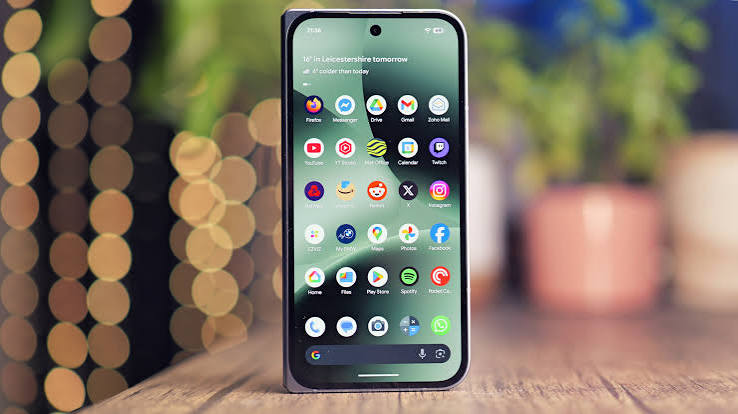
A single Android phone can help someone organise their schedule, navigate to a destination, scan documents, communicate with a team, manage files, take notes, edit photographs, monitor tasks, and access entertainment.
Much of this flexibility comes from mobile applications.
Understanding how to choose and use apps effectively can turn a smartphone into a much more useful everyday tool.
Apps Have Changed How We Work
Many tasks that once required a desktop computer can now be completed from a smartphone.
Users can read and respond to emails, review documents, participate in video meetings, organise projects, share files, and communicate with colleagues from almost anywhere.
Cloud-based applications have made this especially useful.
A document created on a computer can often be opened on a phone and continued without manually transferring files between devices.
For remote workers, freelancers, business owners, and students, this flexibility can make everyday work much easier.
Better Organisation
Mobile apps can also simplify personal organisation.
Calendar applications help manage appointments and reminders.
Task-management apps provide a place to organise daily responsibilities.
Note-taking applications allow users to quickly save an idea before it is forgotten.
Instead of keeping information across paper notes, emails, screenshots, and messages, users can organise important information in dedicated applications.
The key is avoiding unnecessary complexity.
A simple app that you consistently use is often more useful than a powerful app filled with features you never need.
Managing Documents From a Smartphone
Document management is another area where smartphones have become surprisingly capable.
A phone camera can be used to digitise receipts, forms, letters, and other documents.
Depending on the application, users may be able to crop documents automatically, recognise text, create PDF files, categorise scans, or back them up to cloud storage.
This can be useful for people who want to reduce physical paperwork or quickly capture a document while away from their computer.
Navigation and Travel
Mobile applications have also transformed navigation.
Users can search for destinations, compare possible routes, check travel times, and access information while moving between locations.
Before smartphones, travellers often relied on printed maps or separate GPS devices.
Today, navigation is integrated into the same device used for communication, bookings, payment information, photographs, and travel documents.
That consolidation makes smartphones particularly useful while travelling.
Finding Useful Apps
With so many applications available, discovering useful ones can sometimes be more difficult than installing them.
Users should consider whether an app genuinely solves a problem before adding it to their device.
Technology guides can help by explaining how applications work, what features they offer, and how they fit into the wider Android ecosystem.
Resources such as blabdroid.com cover Android apps, technology guides, smartphone tips, and gaming content, giving Android users another place to explore software and device-related topics.
Security Still Matters
Convenience should not replace security.
Before installing an application, users should consider its source, permissions, developer information, and purpose.
An image-editing app may need access to photographs, for example, but users should question permissions that do not appear connected to the app’s functionality.
Keeping Android and installed applications updated can also help maintain device security and compatibility.
Users should also remove applications they no longer use.
Fewer unnecessary apps can mean fewer notifications, reduced storage use, and a cleaner device.
Apps Can Support Healthier Phone Habits
Interestingly, applications can also help users spend less time using applications.
Digital wellbeing and productivity tools can limit distractions by tracking screen time or blocking selected applications during work periods.
Focus timers can encourage users to complete concentrated work without checking social media every few minutes.
The smartphone does not necessarily have to be a source of distraction. Configured properly, it can help organise attention.
Entertainment in Your Pocket
Entertainment remains another major part of the mobile experience.
Phones provide access to games, music, podcasts, video, books, and social platforms.
Mobile games range from short casual experiences to complex titles with progression systems, multiplayer features, and regular content updates.
As smartphone hardware has improved, mobile applications have become increasingly capable of delivering experiences that once required dedicated devices.
Choosing Quality Over Quantity
Having hundreds of applications does not automatically make a smartphone more useful.
In fact, too many apps can make the device harder to organise.
A better approach is to keep applications that have a clear role.
Ask simple questions:
Do I use this app?
Does it solve a problem?
Is there another app already doing the same thing?
Do I trust the developer?
Would I notice if I deleted it?
These questions can help create a cleaner and more purposeful mobile setup.
Final Thoughts
Mobile applications have made smartphones extremely versatile.
They can help users work, communicate, navigate, organise information, manage documents, learn, and enjoy entertainment from almost anywhere.
The best mobile setup is not necessarily the one with the most applications. It is the one where each app serves a useful purpose.
By choosing software carefully and learning how to use Android’s wider features, users can turn their smartphones into tools that genuinely make everyday life easier.